GivingData Grants Portal FAQs for Grant Applicants
The Foundation compiled a list of answers to commonly asked questions to help equip and prepare applicants who have been invited to apply for a grant. If your question is not answered below, please contact the Grant Support at Grants@mertzgilmore.org.
How can I access the Mertz Gilmore Foundation portal?
The URL for our portal is https://mertzgilmore.givingdata.com/portal. Please note, Mertz Gilmore Foundation manages access to the portal.
I can’t log into the portal.
Only contacts/users/grantees that need to submit new forms will be invited to the portal.
When I log in to the portal, I don’t see my history of grants with Mertz Gilmore Foundation.
This is expected. If you require any information related to past grants, please contact Grants@mertzgilmore.org.
How can I give a colleague access to the portal?
Please provide the person’s name, email address, and title when requesting access to the portal, sending us details at Grants@mertzgilmore.org.
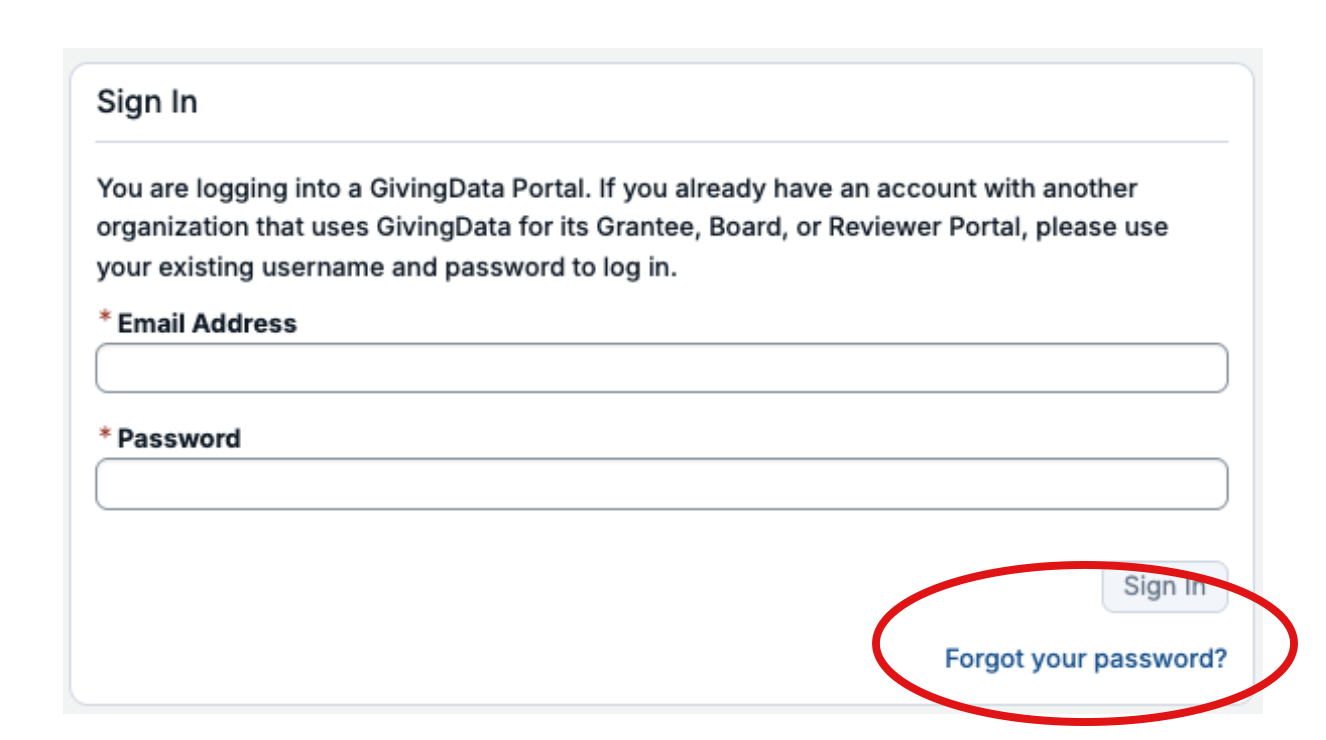
I forgot my password.
If we’ve enabled an account for you, you can reset your password by clicking on the Forgot Password? link at the bottom of the Sign In box on our portal.
Are all fields within the online form required? How do I know which ones are required and which ones are not?
Not all fields are required. A red asterisk (*) will indicate a required field.
Can I preview the questions that I will be required to complete?
Yes. You can preview the form and print it once you are in the system by clicking View/Print Full Application or Report.
Do I have to complete the form in one session?
No. You may log in and out as often as you like. Answers autosave as you work.
Can I copy and paste information from other documents into the online portal fields?
Yes. The system allows you to copy and paste information and format it with rich text formatting.
Can I edit the form after I submit it?
Once the form is submitted, it cannot be modified in the portal. If you need to modify a form after submission, let us know and we can roll back the status.
How will I know I have a form coming due?
Due Dates are indicated in the form invitation email and on the form tile. We have set system-generated email notifications to be sent prior to a due date and reminders that will be sent after a due date. You may also refer to the portal to see the list of forms.
What kinds of documents can I attach in GivingData?
We accept the following document formats: .jpg, .jpeg, .doc, .docx, .xls, .xlsx, .ppt, .pptx, and .pdf. Please do not include special characters (i.e., # : % * ( | ) > ? +) in your file names. Each file name must be unique. Files should not exceed 20 MB.
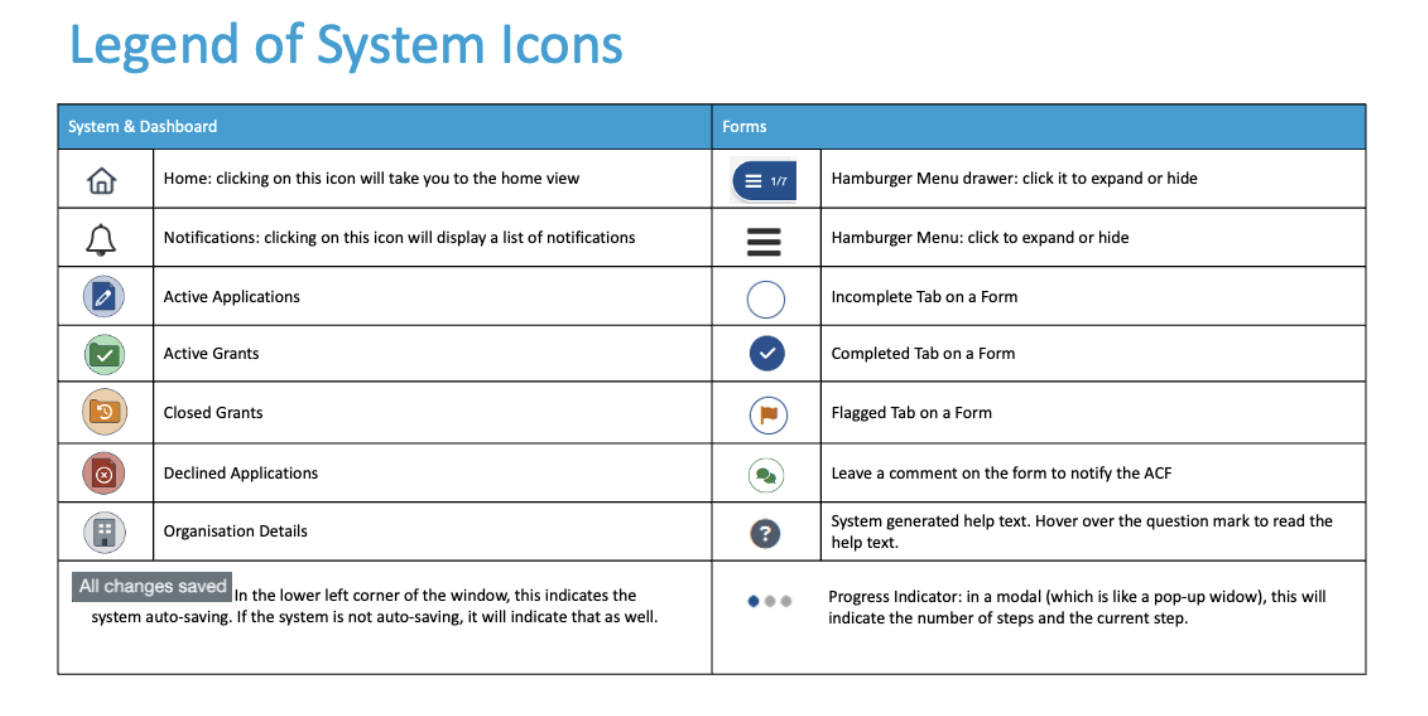
What do the symbols mean in the portal?
Please see the infographic below for symbol descriptions.